


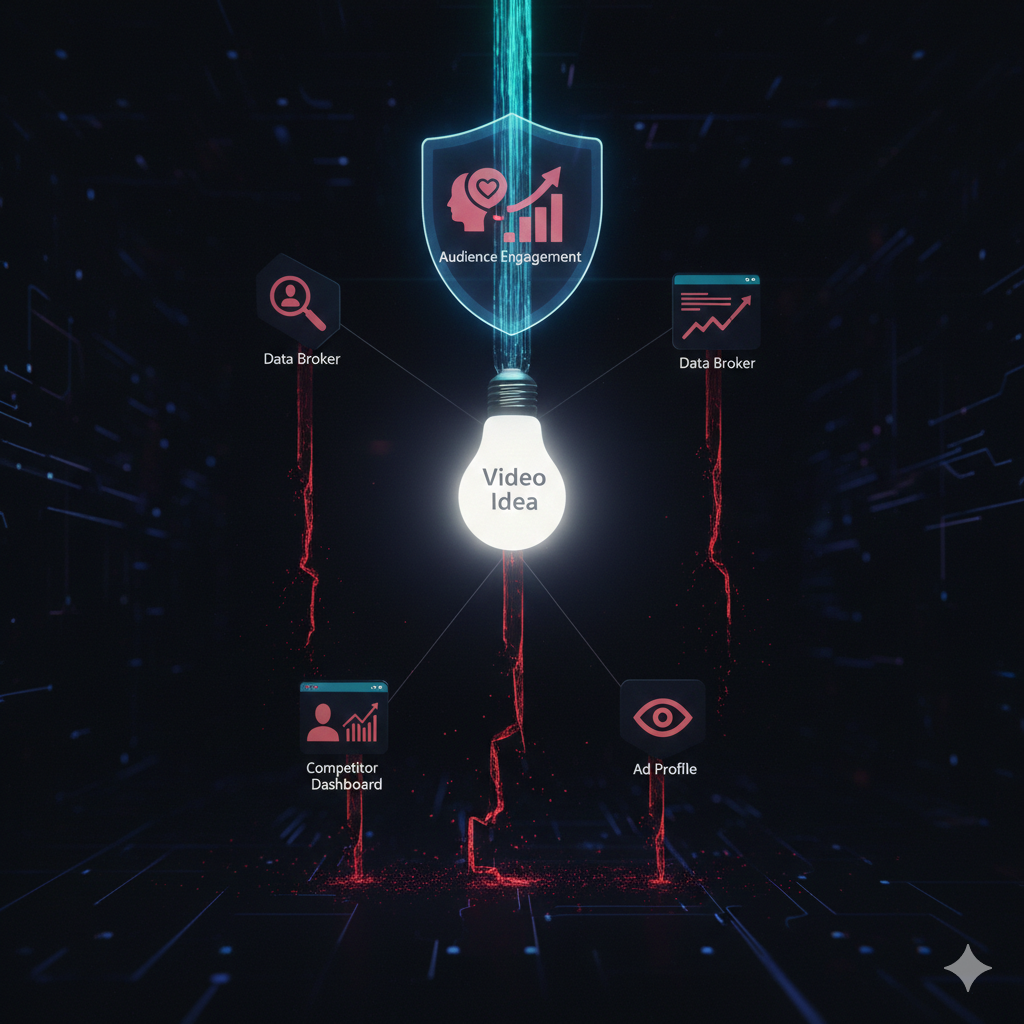
Did you know that 73% of creators are concerned about how their data is used by the free tools they rely on? In the rush to find the next trending hashtag or viral hook, we often trade our privacy for convenience. But what if you could have both?
Introduction: Welcome to the new era of content creation—where your creativity doesn’t come at the cost of your privacy. As a creator, your ideas, your niche strategies, and your audience insights are your most valuable assets. Yet, many “free” tools monetize this very data, building profiles on your creative process. This article is your guide to breaking that cycle. We’ll explore the growing landscape of privacy-first tools for creators that help you generate content ideas, optimize videos, and discover trends without surveillance capitalism. You’ll discover practical tools, understand the “why” behind privacy-focused design, and learn how to protect your creative intellectual property while growing your audience. Let’s build a more secure creative practice.

The Hidden Cost of “Free” Creator Tools
Why Your Favorite “Free” Tool Might Be Costing You More Than You Think
When you type your niche—say, “sustainable fashion” or “indie game development”—into a content idea generator, what happens to that data? In many cases, it’s added to a profile about your creative interests, sold to advertisers, or used to train AI models that might eventually compete with you.
The creator economy is projected to reach $480 billion by 2027, making creator data incredibly valuable. A 2024 Creator Security Survey by Digital Future Labs found that:
-
68% of mainstream content tools collect keyword and niche data
-
42% share or sell aggregated user data
-
Only 23% clearly state data retention policies
Real Risks for Creators
-
Idea Theft & Pre-emption: Your unique content angles could be identified as trends and suggested to your competitors.
-
Audience Insights Leakage: Data about what resonates with your audience could inform broader platform strategies that dilute your edge.
-
Brand Safety Issues: If a tool’s data practices are compromised, your association could damage trust.
Actionable Checklist: Evaluating a Tool’s Privacy Policy
-
Look for a “We Do Not Sell Your Data” guarantee
-
Check if data is processed locally on your device vs. their servers
-
Review data retention periods (ideally “immediate deletion after processing”)
-
Search for independent security audits (SOC2, etc.)
What Does “Privacy-First” Actually Mean for Content Tools?
H2: Beyond Buzzwords: The Principles of Privacy-First Design
A privacy-first tool is architected from the ground up to minimize data collection. For content creation tools, this manifests in specific ways:
Core Principles:
-
Data Minimization: Only collecting what’s absolutely necessary. A hashtag generator needs your keyword, not your location, contacts, or browsing history.
-
On-Device Processing: Where possible, analysis happens on your computer or phone, not on remote servers.
-
Transparent Algorithms: Clear explanation of how suggestions are generated, not a “black box.”
-
User Control: You decide what, if anything, is stored.
Example: TrendStuffs Video Booster’s Approach
Referring to the tool in your provided document, notice its emphasis on “Privacy-focused” and “No registration required.” This suggests a design that:
-
Generates hashtags and captions without tying them to your identity
-
Likely processes requests without creating long-term profiles
-
Avoids the data hoarding common in social media platforms themselves
Table: Privacy-First vs. Conventional Content Tools
| Feature | Privacy-First Tool | Conventional “Free” Tool |
|---|---|---|
| Account Required | Often optional or not needed | Almost always required |
| Data Storage | Minimal, short-term, or on-device | Indefinite, cloud-based profiling |
| Revenue Model | Freemium, paid plans, donations | Data monetization, advertising |
| Transparency | Open about algorithms & data flow | Vague or complex privacy policies |
| Your Control | You own and control your data | You often grant broad licenses |
Top Privacy-First Tools for Every Stage of Creation
H2: Generate Ideas, Write Captions, and Edit Securely
Here’s a curated list of tools across the content pipeline that respect your privacy. (Note: Always review policies as they may change.)
1. Ideation & Planning
-
TrendStuffs Video Booster (as referenced): For generating hashtags and caption ideas without login. Best for: Quick, platform-specific trend sparks.
-
Obsidian: A local, markdown-based knowledge base. Your ideas stay on your device. Best for: Long-form content planners, connecting complex ideas.
-
Trello (On-Premise Option): Self-hosted version allows project management without cloud data.
2. Writing & Caption Crafting
-
Standard Notes: Encrypted, open-source note-taking for drafting scripts and captions.
-
LibreOffice Writer: Fully-featured, offline word processing. No telemetry.
3. Graphic & Video Creation
-
DaVinci Resolve: Professional video editing with strong privacy controls; most data stays offline.
-
GIMP: Open-source image editor, no cloud requirements.
-
Canva (with caution): While a SaaS tool, its paid “Canva for Teams” offers stricter data processing agreements than the free version.
“Choosing a privacy-first tool isn’t about hiding; it’s about maintaining ownership. Your creative process is your intellectual property lab—you wouldn’t let just anyone wander through it.” — Alex Rivera, Digital Rights Advocate
How to Build a Privacy-First Content Workflow
A Step-by-Step System for Secure Creation
Implementing privacy isn’t about one tool; it’s about a workflow.
Step 1: Ideation (The Private Brainstorm)
-
Tool: Use an offline mind-mapper like FreeMind or the TrendStuffs-type tool in an incognito browser window.
-
Action: Generate your core topics and keywords locally first. Only share with external tools what is absolutely necessary.
Step 2: Development (The Secure Sandbox)
-
Tool: Use a encrypted container (like Veracrypt) or a dedicated, offline user profile on your computer to store raw footage, scripts, and strategy docs.
-
Action: Keep your “source code” — your unique insights and unpublished content — in this sandbox.
Step 3: Publishing (The Strategic Share)
-
Tool: Use platform-native schedulers (e.g., Creator Studio) when possible, as you’re already sharing data with that platform.
-
Action: Only upload the final asset. Avoid third-party schedulers that require full social media account access unless they are privacy-certified.
The Future: Decentralization and Creator Sovereignty
Where Privacy-First Creation is Heading in 2024 and Beyond
The future is creator-owned. Emerging technologies are paving the way:
-
Blockchain-Based Content Ledgers: Tools that let you timestamp and claim ownership of your ideas and content styles on a public ledger without revealing the content itself.
-
Federated Learning for AI: AI models that learn from your style on your device and share only improved parameters, not your personal data.
-
Self-Hosting Suites: More user-friendly packages allowing creators to host their own mini-versions of analytics and planning tools.
Question to Ponder: If you owned every byte of data about your creative process, what new products or services could you build for your audience?
Balancing Privacy with Growth and Analytics
You Don’t Have to Fly Blind: Privacy-Conscious Analytics
A common fear is that privacy means no insights. This is false.
Safe Analytics Practices:
-
Use Platform Native Analytics: TikTok Analytics, Instagram Insights, YouTube Studio. You’re already giving this platform your data; use the insights they provide in return.
-
Aggregate & Anonymize: When reviewing performance, look for broader patterns (e.g., “60s tutorials work best”) rather than hyper-specific data that might be personally identifiable.
-
Browser Extensions with Care: Tools like UBlock Origin can block tracking scripts on analytics dashboards, not the core data.
Privacy vs. Insight – A Balanced Approach
Comparing data collection methods: Risky detailed tracking vs. Safe aggregated/platform-based analytics
Privacy vs. Insight – A Balanced Approach
Comparing data collection methods: Risky detailed tracking vs. Safe aggregated/platform-based analytics
| Data Point | Risky (Detailed Tracking) |
Safe (Aggregated/Platform-Based) |
|---|---|---|
| Audience Location |
Precise city-level data from a third-party tool
Source: External data brokers & tracking scripts
High Privacy Risk |
Country/Region data from YouTube Studio
Source: Native platform analytics
Privacy Respecting |
| Demographics |
Cross-site profile of interests from data brokers
Source: Aggregated user behavior across multiple sites
Invasive Profiling |
Age & gender ranges from Instagram Insights
Source: Platform’s own aggregated data
Anonymous Data |
| Best Posting Time |
Based on your specific location & habits tracked across apps
Source: Behavioral tracking across devices
Behavioral Tracking |
General platform-wide trends for your region
Source: Aggregated platform usage patterns
Generalized Insights |
| Traffic Sources |
Specific websites & apps that tracked the user
Source: Cross-site tracking pixels and scripts
Cross-Site Tracking |
Broad categories like “External” or “Search” from native analytics
Source: First-party analytics tools
Category-Level Data |
Understanding the Balance Between Insight and Privacy
This table highlights the trade-off between detailed user analytics and privacy protection. While detailed tracking can provide granular insights, it often comes at the cost of user privacy and trust.
Key Takeaway: Safe, platform-based analytics provide sufficient insights for most content creators and businesses while respecting user privacy. These methods use aggregated, anonymized data that cannot be traced back to individual users.
Risky tracking methods often involve third-party data brokers, cross-site tracking, and creating detailed user profiles without explicit consent. This approach is increasingly regulated by privacy laws like GDPR and CCPA.
Safe analytics approaches rely on first-party data collected directly by platforms, aggregated to protect individual identities, and transparent about data collection practices.
Conclusion: Your Creativity, Your Control
The journey to becoming a privacy-first creator isn’t about paranoia; it’s about intention. It’s the conscious choice to value your creative sovereignty as much as your engagement metrics. By selecting tools designed with data privacy for creators in mind, like those emphasizing on-device processing and transparent practices, you protect not just personal information, but your unique creative IP—your ideas, your audience relationship, and your future revenue streams.
Start small. Audit one tool you use this week. Choose one privacy-focused app from our list to test. As you build these habits, you’ll find that creating with security fosters a deeper sense of ownership and authenticity in your work—qualities that audiences instinctively trust and value.
Your Next Steps:
-
Audit: Review the privacy policy of your most-used content tool.
-
Replace: Switch one data-hungry tool for a privacy-first alternative this month.
-
Advocate: Ask your favorite tool developers about their data practices. Creators have power.
The most sustainable creative careers are built on foundations of trust and control. Build yours wisely.
FAQ Section
H2: Frequently Asked Questions on Creator Privacy
Q1: Isn’t this all overkill? I’m just making fun videos.
A: Your creative niche and content strategy are business intelligence. If you plan to monetize, grow a brand, or sell products, this data has real value. Protecting it from the start is easier than trying to reclaim it later.
Q2: Can I use platforms like TikTok and still be privacy-first?
A: It’s about layered defense. You must share data with the platform you publish on. The goal is to minimize leakage elsewhere (in your planning, analytics, and ideation tools) so the platform only gets what’s necessary for you to publish and get insights.
Q3: Are privacy-first tools harder to use or less powerful?
A: Not necessarily. Many open-source and privacy-focused tools are extremely powerful (like DaVinci Resolve). The trade-off is sometimes convenience—like no automatic cloud sync—which can actually benefit focused, intentional work.
Q4: Do privacy-first tools cost money?
A: Some are free and open-source (GIMP, Obsidian). Others use ethical monetization like one-time purchases or subscriptions. Viewing this as an investment in your business’s security is key.
Q5: What’s the single most important thing to look for in a tool’s privacy policy?
A: A clear, unequivocal statement that they do not sell your data to third parties. Then, look for what they do collect and why.
Q6: How does a tool like TrendStuffs Video Booster work without tracking me?
A: It can function as a simple query-response system. You send a keyword (e.g., “furry art”), its algorithm generates hashtag/caption ideas based on public trend data, and sends the result. The request isn’t tied to a user profile and is discarded after processing. No login, no persistent profile.
